
⏸︎ New · Work that parks itself →

Everyone else stops at the pane.Ticket in. Merge out.

Run a fleet of coding agents in the terminal you already use — then run your actual backlog through them. Stages you define, work that parks itself once it leaves your hands, and issue-to-merged without opening a browser.

$ curl -fsSL https://jmux.build/install | sh

No runtime needed — installs a self-contained binary.

Nothing to migrate — your config, plugins and bindings carry over Sessions survive the terminal closing, and jmux itself And nothing to migrate out
The work pipeline

The workflow is your team's.
The orchestration is jmux's.

Your tracker has 25 statuses named for someone else's process. You think in five. So you define your own workflow stages — Urgent, To do, In Progress, Waiting, Done — and sit each one on top of one or many of your tracker's statuses. In Code Review and Awaiting QA Sign-off are both just Waiting. jmux runs your terminal from your ladder, not theirs.

workflow
Workflow Linear · 25 statuses · 8 unmapped Your workflow ─────────────────────────────────────────────────── Urgent ······························ 1st up next 2 statuses To do ······························· 2nd up next 3 statuses In Progress ······································ 3 statuses ▸ Waiting ······················· no unstarted ⏸︎ 8 8 statuses Done ······································· hidden 1 status + New stage Statuses ──────────────────────────────────────────────────────── Status Stage Parks Issues Customer Escalation Urgent 2 Ready for Development To do 5 In Code Review Waiting ⏸︎ 7 Awaiting QA Sign-off Waiting ⏸︎ 19 Backlog — 5 Unstarted work ────────────────────────────────────────────────── Show unstarted work in the sidebar ······· 3 per stage Waiting · 4th of 5 · 8 statuses · in the sidebar, without its unstarted work ↑↓ move · ⇧↑↓ order · ↵ rename · s hide · space unstarted · u up next

Ctrl-a W — your stages, then every status your tracker offers. Two settings each: which stage it belongs to, and whether its work has left your hands.

Handed-off work parks
automatic

In review, in QA, blocked on a teammate — that session drops into one Parked (n) row. Nothing is killed.

And comes back
reversible

The issue moves, someone comments, the MR is touched, a pipeline goes red. It returns flagged, without you watching.

See what you haven't started
one click

Each stage shows the work nobody has picked up, right under the sessions that have. Click a row and it becomes real — worktree, session, agent.

Pull the next thing
on demand

Ctrl-a u takes the top of your first non-empty stage and does the whole ticket-to-worktree-to-agent dance.

Capture without losing your place
anywhere

Ctrl-a a files an issue from wherever you are. Ctrl-S files it and starts work on it.

Progress, reported for you
opt-in

Move an issue along when work starts, an MR opens, or it merges — with ^a Z to undo. Off until you say so.

Every other tool's answer to a growing fleet is a bigger grid. This one gets quieter as work leaves your hands — and loud again the moment it comes back.

Read the work-pipeline guide →

Single pane of glass

The Command Center

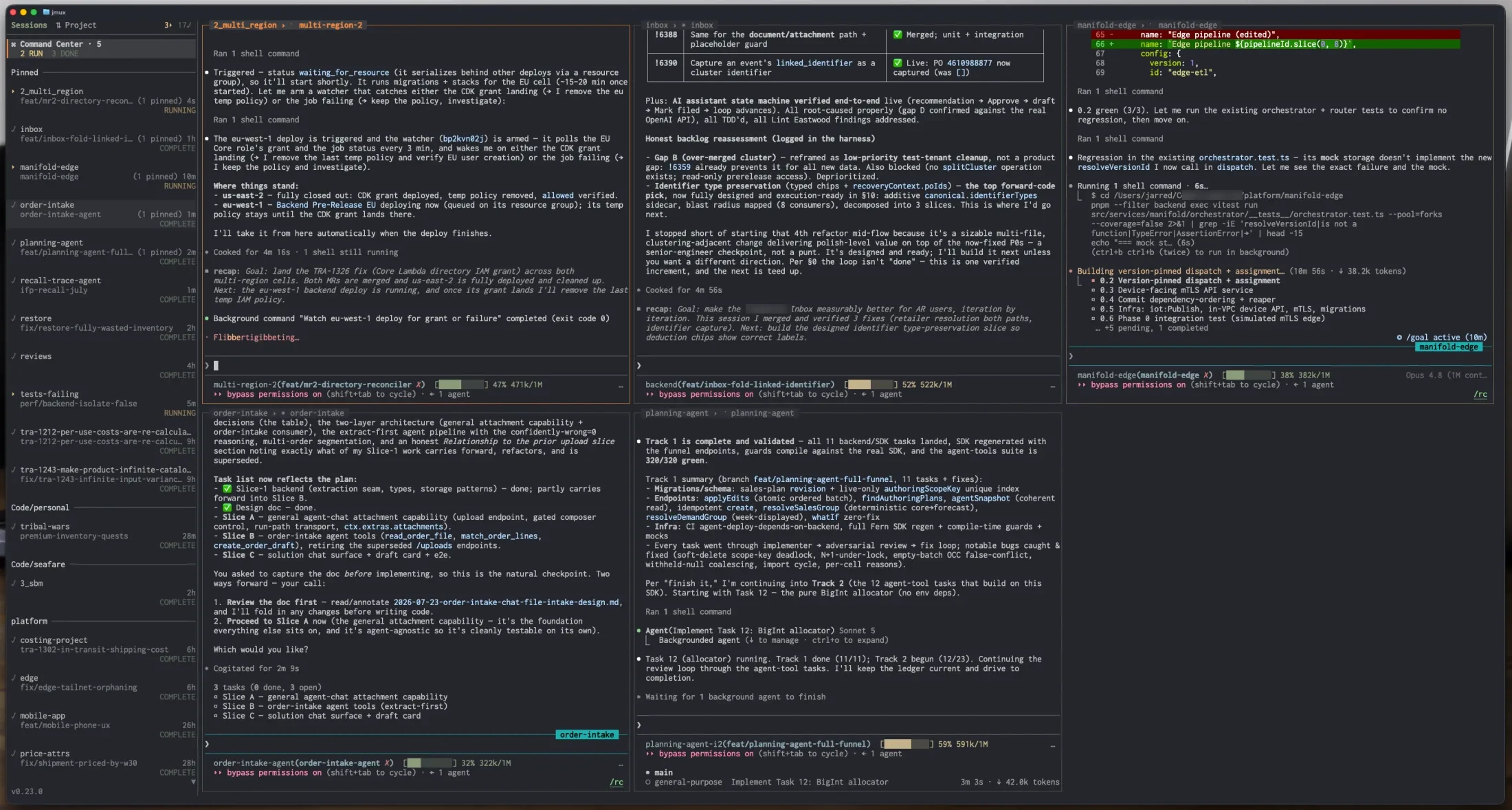
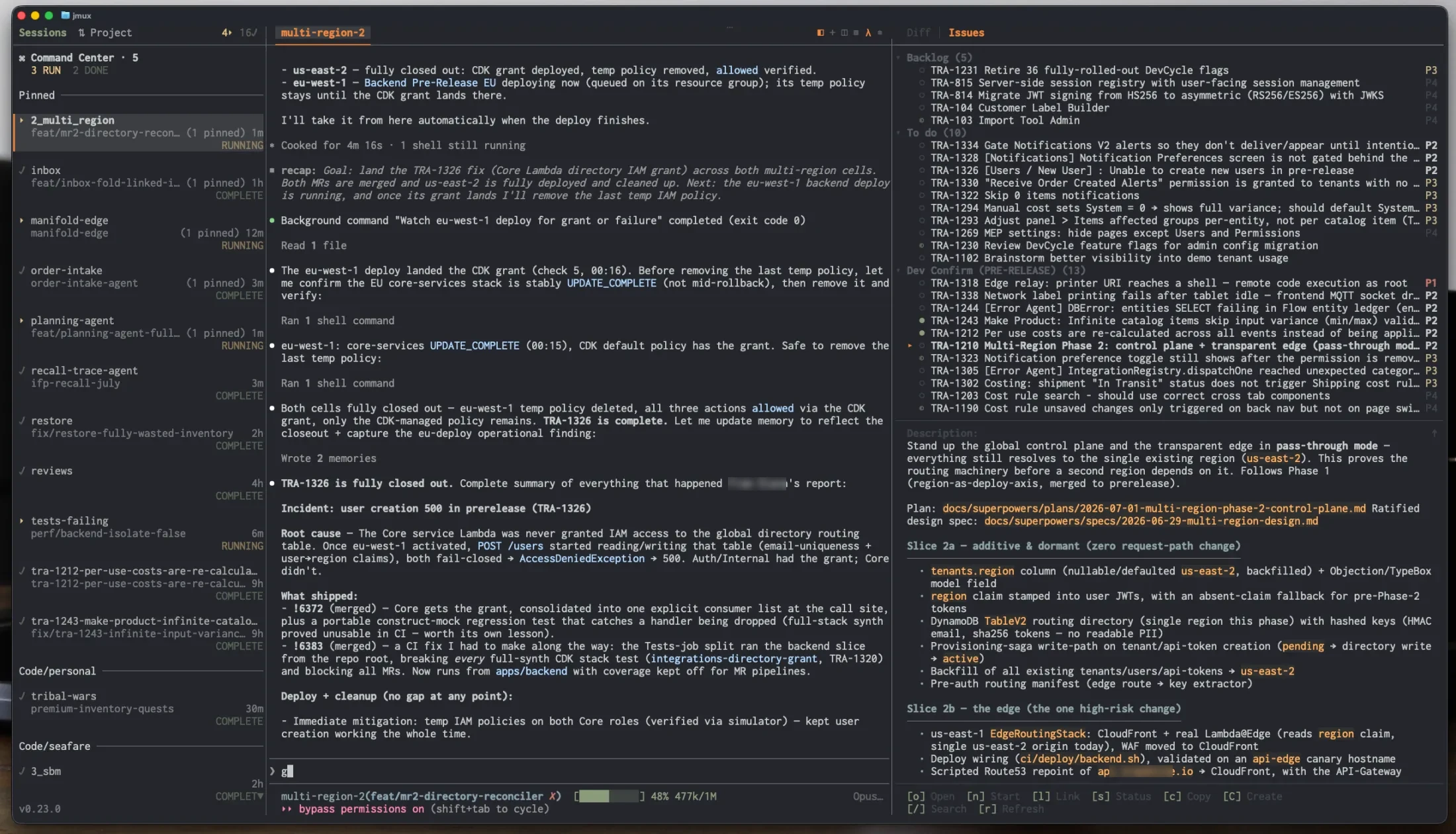
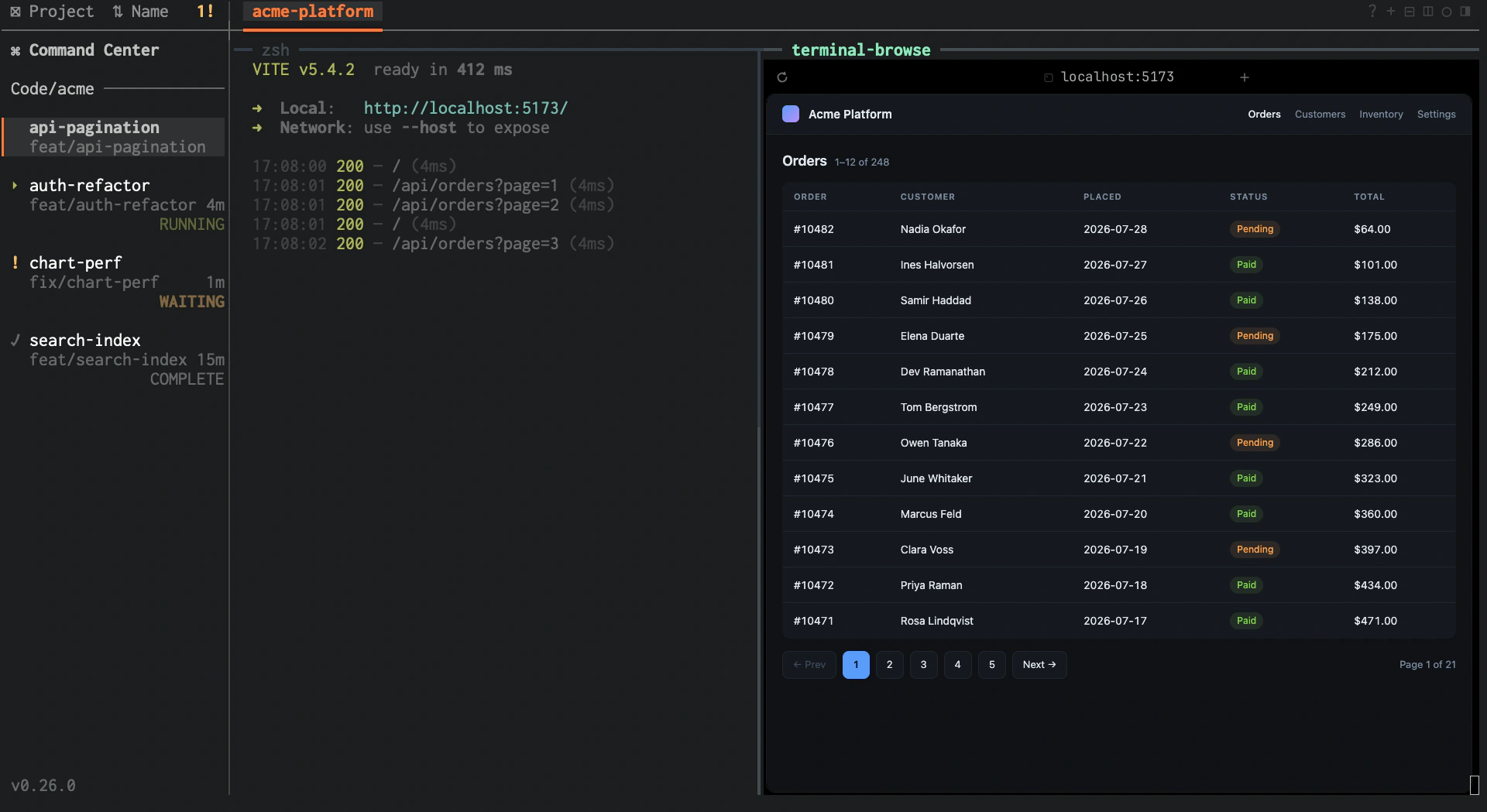
The pipeline hands you a fleet. This is where you drive it. Pin the Claude or Codex pane from every session into one live grid — and type into any tile to steer that agent for real.

  • Borders glow by state — see who's running, waiting, or complete at a glance.
  • Pin by hand or auto-pin every agent pane — Claude, Codex, or any command you name — fully non-destructive, panes never leave their session.
  • Group into named tabs and flip between them with Ctrl-a [ / ] or a number.
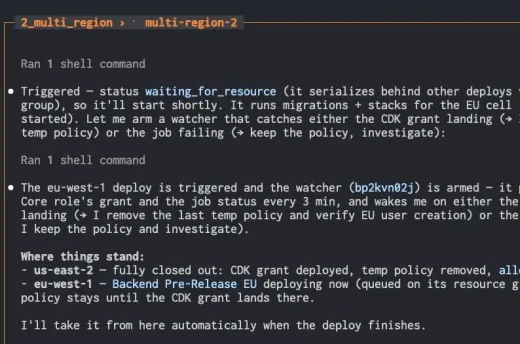
jmux Command Center showing a grid of live Claude agent panes, borders colored by agent state
A single live agent tile, its title colored by run state
Pick it up

One keystroke from
ticket to working code.

Select an issue, press n — jmux creates the worktree, opens the session, and launches your agent with the issue context already loaded. No stashing, no branch switching, no copy-pasting a ticket into a prompt.

Linear for issues. GitHub, GitLab or self-hosted GitLab for merge requests — the one integration the desktop tools can't reach into your network to offer. Sessions auto-link to their branch's PR and issue, and pipeline status shows up as a glyph in the sidebar.

Or skip the picking entirely: Ctrl-a u pulls the top item off your first non-empty stage and does the whole thing.

Issue & MR integration guide →

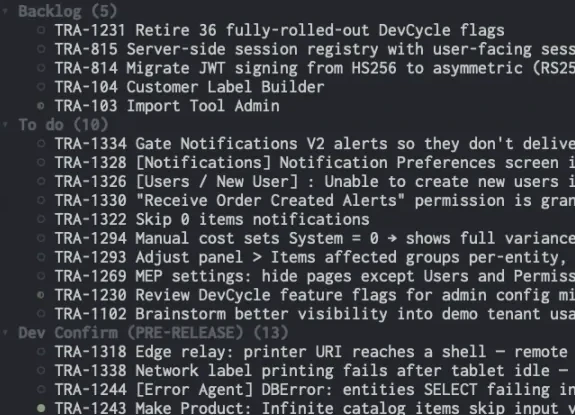
jmux info panel showing Linear issues alongside a session
The Issues panel: Backlog and To do lists of tracker issues
Review it

Read the diff
beside the agent.

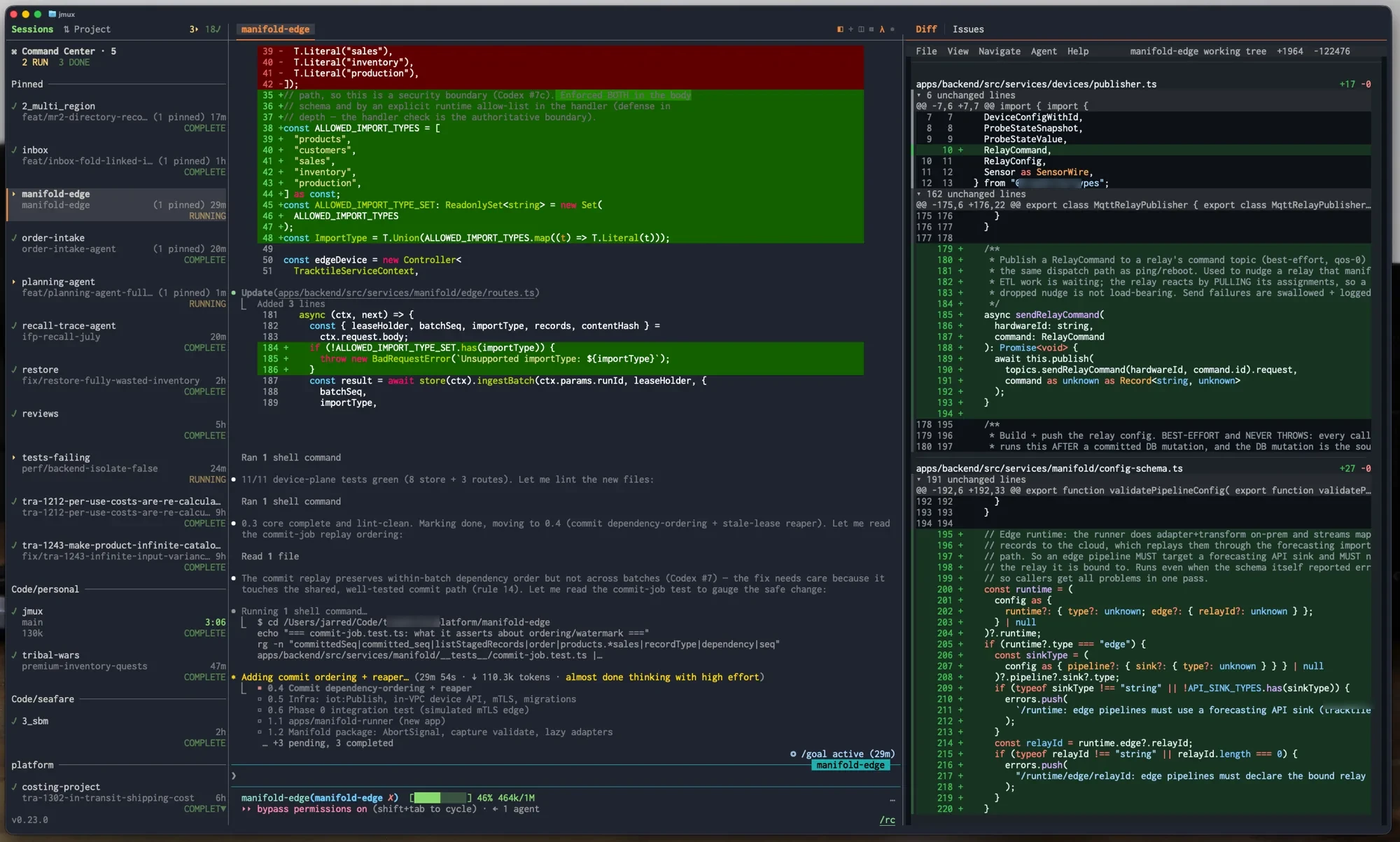
Ctrl-a g toggles a tabbed side panel — Diff, Issues, MRs, Review — with the Diff tab powered by hunk: syntax highlighting, word-level diffs, split and full-screen views.

Split mode to watch while the agent works, Ctrl-a z for full-screen when it's time to actually read it. Then flip to the MRs tab and approve, undraft, or move the issue on — a approve · r undraft · s status · o open in browser.

jmux diff panel split mode
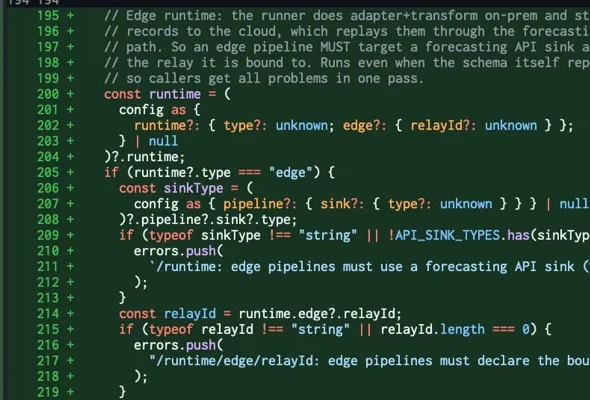
A syntax-highlighted hunk diff with added lines
Terminal graphics NEW

The picture.
Not the link.

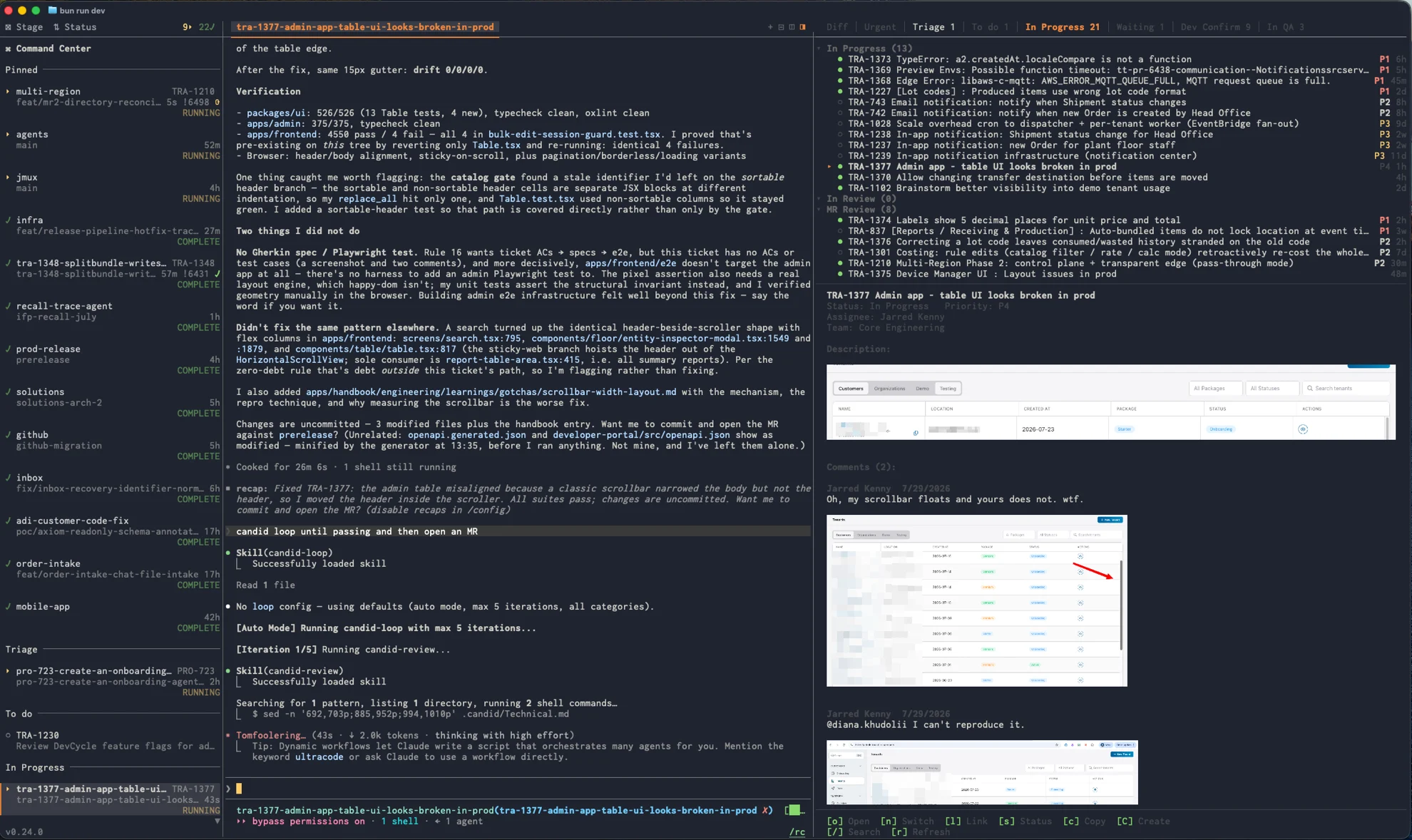
Someone attached a screenshot to the bug. Everywhere else that's a URL you have to leave the terminal to follow. Here it's the picture — in the pane, under the sentence describing it, in the comments where the argument happened.

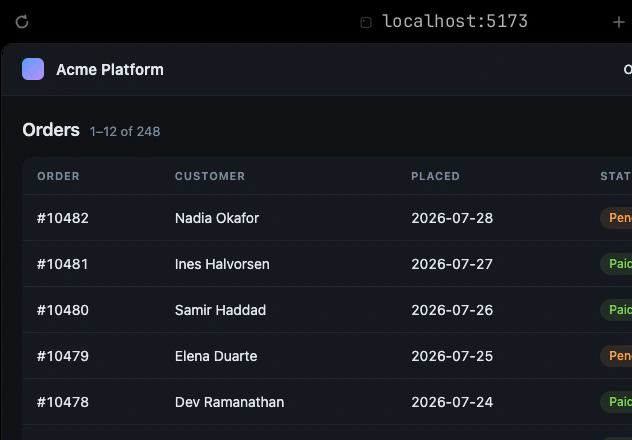
Real image data, drawn with the kitty graphics protocol in Ghostty, kitty, WezTerm and Konsole. Nothing to turn on: jmux asks your terminal whether it can draw and believes the answer. Where it can't, images stay the links they always were — and clicking a rendered one still opens it.

It works because jmux is the outermost program on your terminal. tmux runs inside a pty jmux owns, so the pixels never have to survive a multiplexer.

How inline images work →

jmux with an agent session running beside the info panel, where a tracker issue's attached screenshots render as real pictures
What the fleet costs you

Which agent is running out of room.
Which one is still cheap.

No other multiplexer and no agent IDE shows you this. jmux reads Claude Code's own OpenTelemetry stream and puts two numbers on a session's row: how much of its context window is occupied, and a countdown on how long its prompt cache stays warm.

Both change how you work a fleet. The first tells you which session is about to start forgetting things and should be handed off before it does. The second tells you which one to send the next message to now — sending while the cache is warm can save up to 90% on input tokens, and a five-agent day is a lot of input tokens.

There is no setup. If Claude Code is running, the numbers are there.

How it compares

Everyone climbs the first rung.
Only one gets to the top.

These aren't rival products so much as different heights. Panes are table stakes. The question is how far past them a tool is willing to go.

jmuxAgent IDEsAgent muxesRaw tmux
Panes, splits & sessions that survive a detachEmbedded terminals
Agent run state at a glanceHooks + telemetryScreen heuristics
Worktree isolation & diff review in place
Issues & PRs, incl. self-hosted GitLabPartial
Your workflow: stages, parking, ticket → merged
Context window & cache-warm economics
Keeps your terminal config, plugins & bindingsBrings its own
Reversible — your sessions outlive it

← swipe the table to compare →

Agent IDEs — Orca, Cursor, Windsurf, Conductor — ship their own terminal, editor, and runtime in a desktop app.
Agent muxes — herdr and friends — are agent-aware multiplexers that stand in for tmux rather than building on it.

And Claude Code's own Agent Teams? That's an input, not a column. Agent Teams parallelises one task, in one repo, with one vendor's agent. jmux runs your queue across repos, agents, worktrees and branches — an Agent Teams run is one session in it.

Durable & reversible

Nothing to migrate.
In either direction.

The other agent multiplexers are replacements — a new server, a new config, a new keymap, and your plugins left behind. jmux isn't one. It drives the tmux you already have, so your config, prefix key, plugins, theme and bindings all carry over; jmux enforces only the handful of settings it needs to draw its own chrome.

Which is why your work is genuinely durable. Sessions detach and reattach over SSH, from a second machine, from a phone. They survive the terminal closing — and they survive jmux itself being killed, because the agents were never running inside jmux to begin with. And the exit is free: quit, and your sessions are exactly where you left them, reachable with jmux gone entirely.

The chrome follows suit — every glyph and surface is drawn from your terminal's own palette, so jmux looks native in light or dark without a line of config. Tune the rest from the settings screen (Ctrl-a I): running / waiting / complete colors, code host, issue tracker, panel widths.

jmux chrome peeking behind the theme stack
jmux in a light terminal theme showing the same session, chrome adapting to the palette
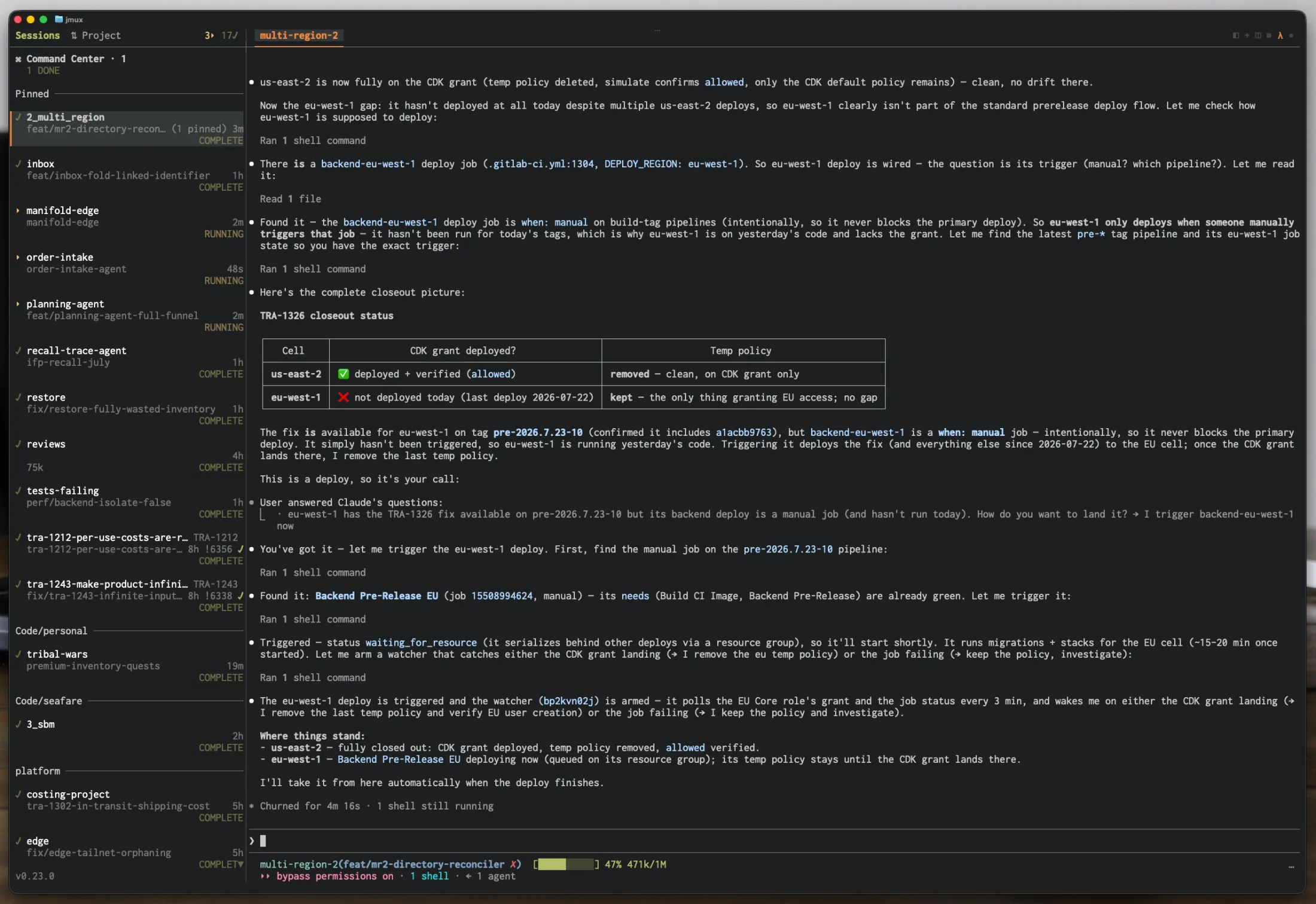
jmux in a dark terminal theme: sidebar, window tabs, and a Claude Code session
From the timeline

Word of mouth.

Scott Tolinski
Scott Tolinski
@stolinski
if you don't have a single-letter mux yet, you're ngmi
imux — github.com/hkparker/imux
kmux — github.com/kamalshkeir/km…
2:28 PM · Jun 30, 2026 · 38.9K Views
31 24 180 113

“I've used tmux for 5 years — jmux makes me 5× more efficient.”

M
Mouad

“The attention flags, clean sidebar, and quick session switching have genuinely made my workflow much smoother and less chaotic.”

Ravin
@ravinwashere
Agent orchestration

Agents that orchestrate agents.

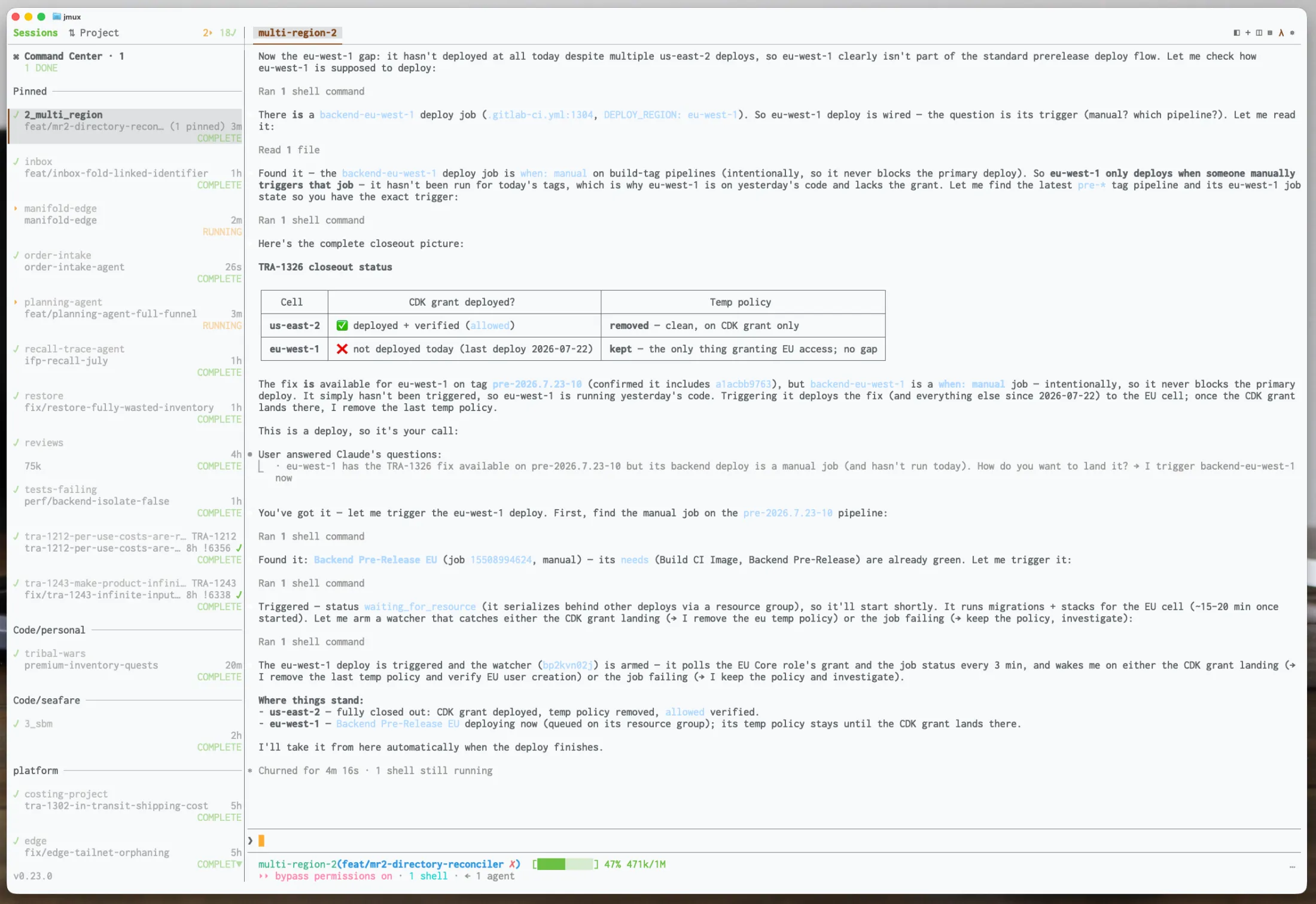
Other control surfaces stop at panes and processes. jmux's understands tickets, branches, and run state — so an agent can pick up TRA-933, get its own worktree and session, work, and raise a flag when it needs a human. State comes from hooks and telemetry, not from scraping a screen buffer, so it's authoritative rather than a guess. Context auto-resolves from $TMUX, so it works headless too.

work-radar
# One snapshot of the whole workspace — the work radar
$ jmux ctl status
{"sessions":[{"name":"TRA-812","agent":{"state":"running","ageSeconds":42},"links":[{"type":"issue","id":"TRA-812"}],"attention":false}, …]}
# Start work straight from an issue — worktree, session, agent
$ jmux ctl issue start TRA-933
{"session":"TRA-933-rotate-keys","pane":"%21","issue":"TRA-933","reused":false}
# Watch an agent's lifecycle — JSONL, no polling loop
$ jmux ctl agent watch --session TRA-812
{"type":"agent_state_changed","session":"TRA-812","state":"waiting"}
# Flag a session that needs a human decision
$ jmux ctl session attention set --target TRA-812 --reason "tests fail"
{"target":"TRA-812","attention":true,"reason":"tests fail"}
Also in the box

Everything visible. Nothing in your way.

Session Sidebar

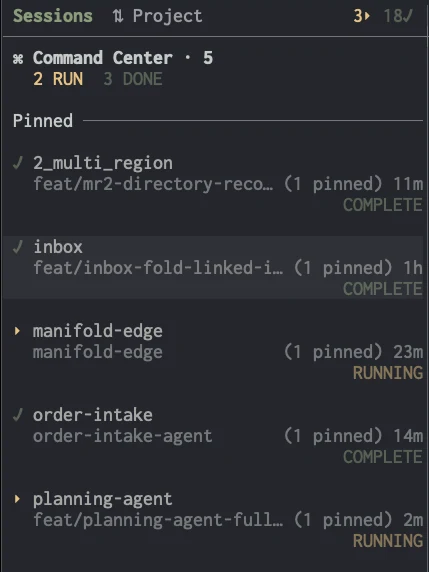
Every session at a glance — project group, git branch, agent state, pipeline status, linked issue or PR, and live context tokens. A real workspace map where your status bar used to be.

jmux session sidebar showing grouped sessions, activity dots, and agent-state flags

Instant Switching

Ctrl-Shift-↑/↓ — no prefix, no menu, no mode. Or click the sidebar.

Attention Flags

When an agent finishes or needs you, its session raises an orange ! in the sidebar — from a Claude Code Stop hook.

Command Palette

Ctrl-a p — fuzzy-search sessions, windows, pane actions, settings, and issue commands.

Settings & themes

Ctrl-a I — state colors, adapters, per-repo defaults. The chrome already matches your terminal's palette.

Demo mode

jmux --demo runs everything on mock data. No credentials, no tracker, nothing to configure.

Ecosystem

Best-in-class tools. Deeply integrated.

Claude Code
Deepest integration

Hook-driven run state, live context & cache from telemetry, plus a jmux-control skill.

Codex · pi
Same state emitters

Installed by jmux --install-agent-hooks. State is reported, not guessed.

Modern issue tracking

Your issues in the info panel, mapped onto workflow stages you define.

MRs, pipelines, approvals

Pipeline glyphs in the sidebar. Self-hosted supported.

Pull requests & checks

PR detection, CI glyphs, approve & mark-ready from the panel. Enterprise supported.

Best terminal diff viewer

Powers the integrated diff panel — word-level, split & full-screen.

Git worktree manager

One worktree per agent, one session per branch.

any other agent
Whatever you run

Every terminal agent works in a pane, with opt-in screen detection for run state. vim, emacs, lazygit, your scripts — it's a real terminal underneath.

Two commands. You're in.

tmux 3.2+ is all jmux needs — and it offers to install that for you.

$ curl -fsSL https://jmux.build/install | sh
$ jmux

No runtime needed — installs a self-contained binary.

Homebrew

macOS and Linuxbrew. The only channel that installs tmux for you, since brew can declare it a dependency.

brew install jarredkenny/tap/jmux

Bun

Runs jmux from source under your own Bun 1.3.8+. The way in on Alpine and other musl systems, where the binary cannot run.

bun install -g @jx0/jmux

Direct download

Signed tarballs with checksums for macOS and Linux, on arm64 and x86-64 — including a baseline build for older CPUs.

Browse the release →

macOS and Linux (glibc). On Windows, run it inside WSL. Not ready to point it at your repos? jmux --demo runs the whole thing on mock data first.